Documentation Index
Fetch the complete documentation index at: https://docs.coconut.dev/llms.txt
Use this file to discover all available pages before exploring further.
The Coconut Assistant
The Coconut Assistant, available via the “sparkle” icon in the top right of the screen, is the quickest way to generate content on the fly. It can accept any existing knowledge document as context and can also create new knowledge documents.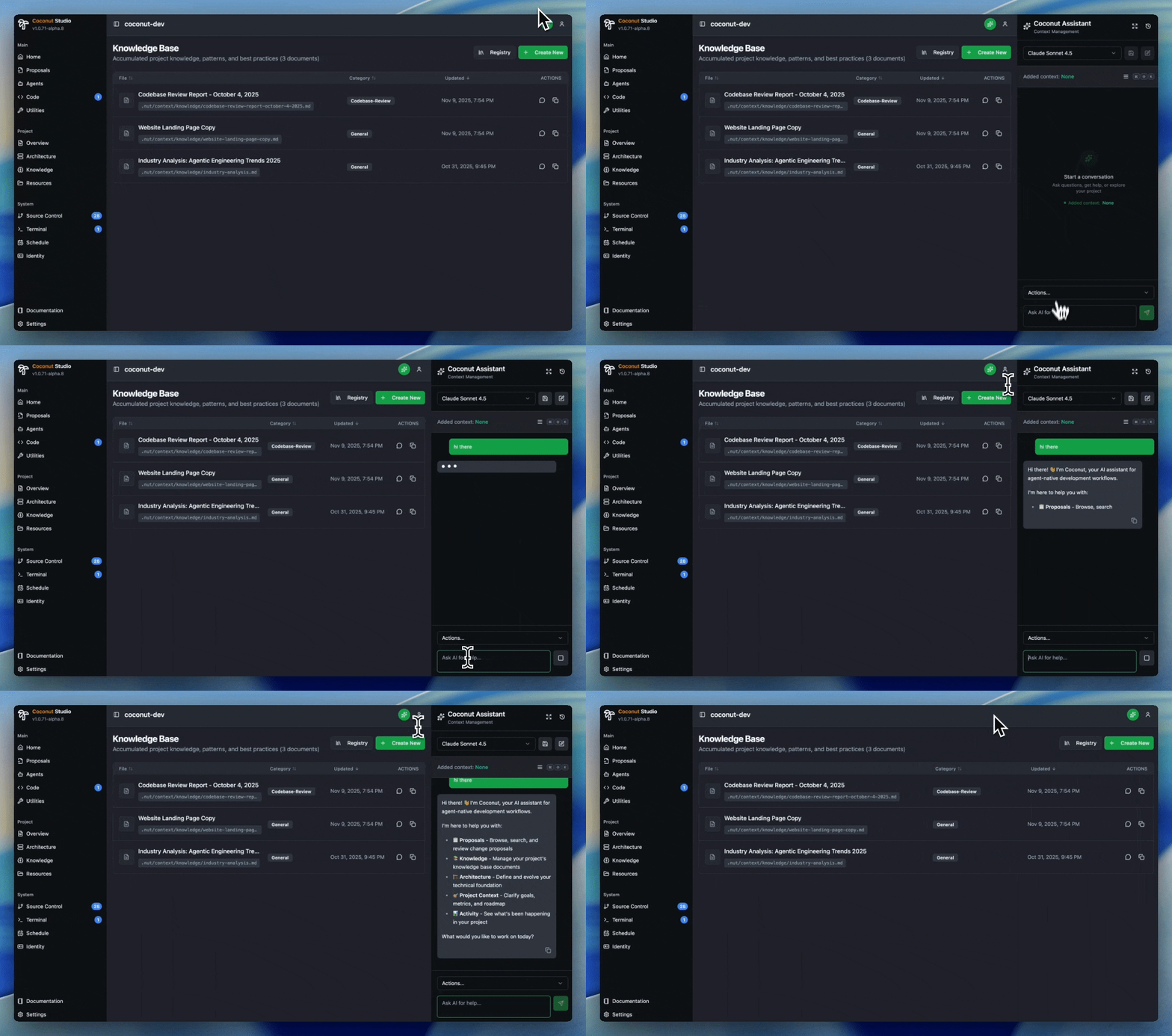
Pick a source
As mentioned, the Coconut Assistant can accept any existing knowledge document as a source.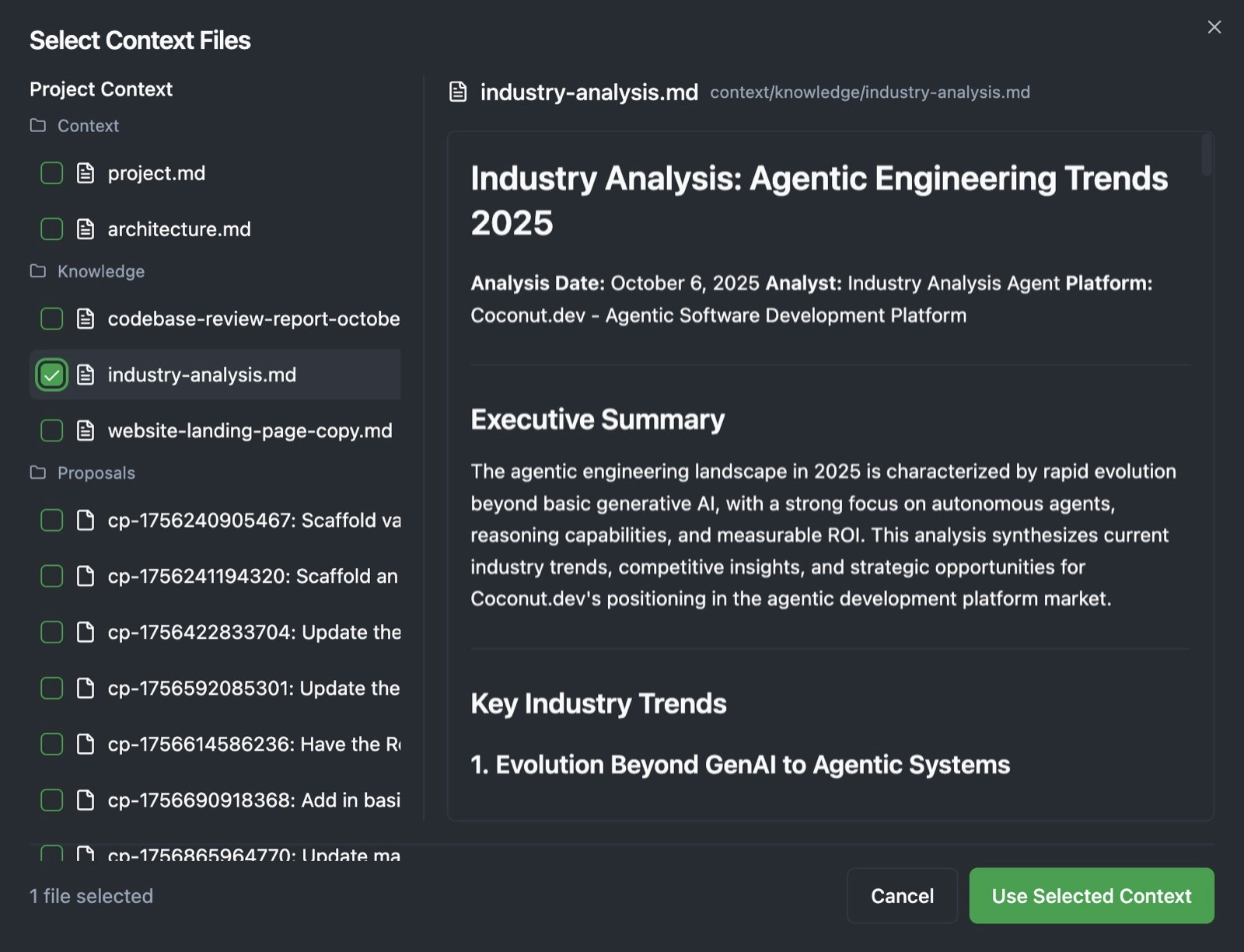
Please use this blog post and create a short LinkedIn post announcing it.
Sophisticated content with coding agents
If you want to generate more sophisticated content-driven campaigns, the built-in coding agents unlock significantly more flexibility. An example might be a new blog post and some new media (images or video) that you want to add to your company’s blog.